

The Ultimate Tradigital Workflow Guide: Mastering 3D Modeling, AI, and Traditional Art (My 20-Year Retrospective)
For over 20 years of commercial experience as an artist and designer, A long term goal I have is to bridge the gap between traditional tools and advanced digital production.
I’ve faced the same frustrations you have—late-night crashes and endless tutorials that felt like they were taking me around in circles at the best.. I’d rather sculpt in real clay than push pixels around late at night. But through those frustrations—from my studies at Edinburgh College of Art to my recent tuition and commercial work and time spent at FabLabs in different parts of the world, I have built up my “tradigital” workflow.
This is my Tradigital toolset. It’s a mix of everyday traditional drawing, clay work and modern digital outputs. Here is every tool I use, why I love it, and the shortcuts I’ve learned to keep the creative flow moving. I may update this post in the future. For example, I currently feel the need to learn a CAD application to make sure that printed parts with particular mechanistic functions work accurately. Also, AI is evolving at such a constant rate, we need to constantly keep up with new developments if we want to use those tools to their fullest advantage.
I want this list to help you. Feel free to reach out if you have comments or suggestions.
1. Traditional Foundations: My Core
“If I ever had to choose between traditional and digital tools. I would choose traditional. Drawing and sculpture, particularly clay sculpture is my core passion. I feel in the flow state most of the time when making things with these timeless tools.”
- The Tools: Pens like Sharpies , air-drying clay , and traditional drawing.
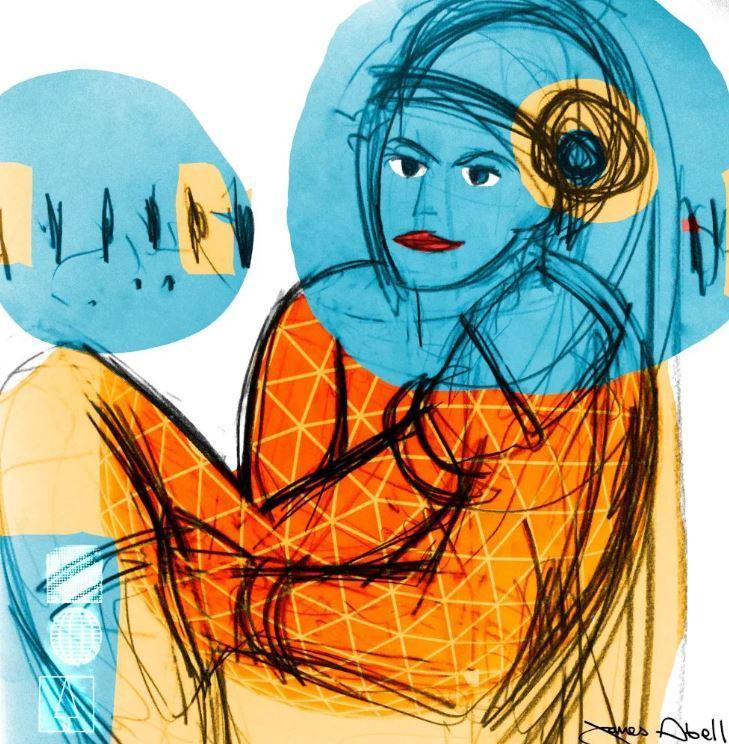
- A Memory of Learning: At Edinburgh College of Art, I realized drawing is the core tool. A bold expressive line helps make clear, exciting forms and movement without getting bogged down in detail.
- My Shortcut: Start every project away from the screen. Observe if your creative flows more. If it does that’s amazing, if not that’s fine too, at least you know!
2. 3D Modeling & Visualization: Blender & 3DS Max
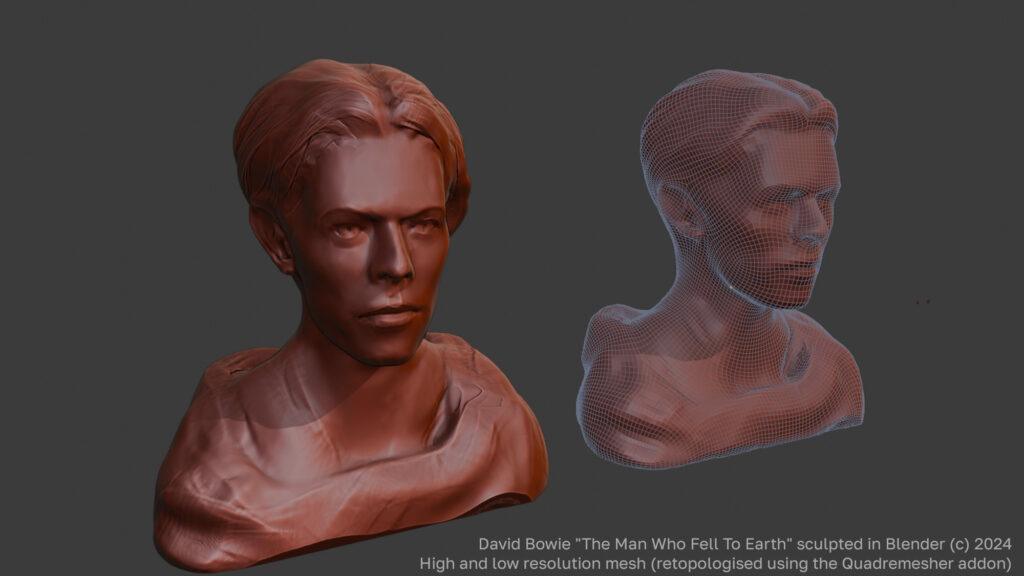
“I got into 3D modelling in a big way in 1999 at Edinburgh College of Art. Ever since then, it has been part of my creative toolset. Back then, the computer room had 3D Studio Viz installed, which was a lite version of 3DS Max. Upon graduation, I started using 3DS Max. On the last day before my degree show, my section, I had quite a few printed renders in 3D and also some expressive drawings. My lecturer said “James, you should get big prints of your drawings up because that’s what you are good at. ‘ I said, what about the 3D work on the wall? He said dismissively, ‘anyone can do 3D’. I was insulted at the time, However in retrospect, he was kind of right. Drawing and traditional tools are great. Although, I didn’t have such a great time at my college. I am grateful that Edinburgh College of Art emphasized having a strong drawing and traditional standpoint back then.”
- The Use: Blender is my main application , while 3ds Max remains in my toolkit for its excellent modifier stack and strong spline modelling toolset.
- Why I Switched to Blender: While I spent years using 3ds Max for, Blender is now a massive part of my daily practice. I still keep 3ds Max in the kit for tools like the strong spline editor and modifier stacking sysyrem but for pure creative freedom, Blender is incredible. time and applications evolve so who knows what I will get into in the future. Always keep an open mind, they are tools, new tools can be better for your outcome.
- My Shortcut: Use the Trace Image to Grease Pencil workflow in Blender to bridge traditional drawing scans with digital animation tools.
3. 3D Texturing. Texturing: Adobe Substance Painter
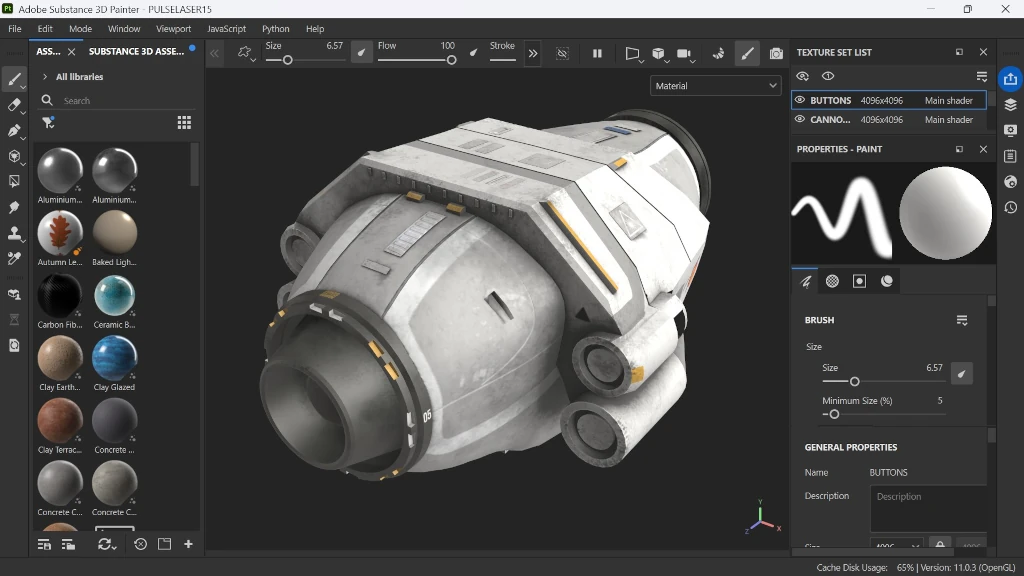
“I got into substance painter around 2016. I remember the ease of making quick effects for a pack of 3D trading cards I was making, it dawned on me I could really make my 3D models sing PBR. I wanted to make. I have since got into Substance Sampler, I also dabbled in substance designer but I never got into that so much. Although, I would say substance painter is the least used tool in my toolkit at the moment, I also constantly look out for fully textured 3D prints, although technology exists for this already, I look out for improvements and affordability .”
- The Use: This is where my models get their “soul.” I use Substance Painter to bridge the gap between a clean digital sculpt and a piece of art that looks lived-in, weathered, and real.
- A Memory of Learning: I’ve spent years in industry pipelines and I’ve seen how much time is wasted trying to “pixel-push” every single scratch. I realized that if you treat a 3D model like a physical sculpture—adding layers of dirt, wear, and history—the results feel much more human. It’s about creating a “vibe” rather than just a texture.
- My Shortcut: Don’t paint every detail by hand. Use Smart Materials and Mask Generators to handle 80% of the heavy lifting. I teach students how to bake high-quality maps so these tools can automatically “see” the edges and crevices of their sculpts. It allows you to focus on the artistic direction while the software handles the physics of the wear and tear.
4. The AI "Apprentice": Gemini & Image-to-3D
“I feel generative AI came out of the blue. Immediately, I remember having a crisis and watching many artists make youtube videos about how they hated it. I dabbled with early AI apps such and subscribed to the 2 Minute papers channel. I thought, ok if I want to assess if generative AI is a threat, I need to really get into it.
As of April 2026, the dust has settled or has it? Image and text to 3D ai is getting so good now and it leaves someone who defines themselves as a 3D modeler, what exactly is their purpose now? I am glad I moved towards 3D printing, tradigital etc years ago. I never felt that 3D on a screen was satisfying. Gemini, image to 3D nano banana.”
The Use: Creative AI integration to bypass repetitive tasks and focus on high-value creative work.
- How I Use Them: These days, AI is a fantastic new and fast-evolving tool for your creative toolset. I teach the creative use of generative AI including Google Gemini and Image to 3D.
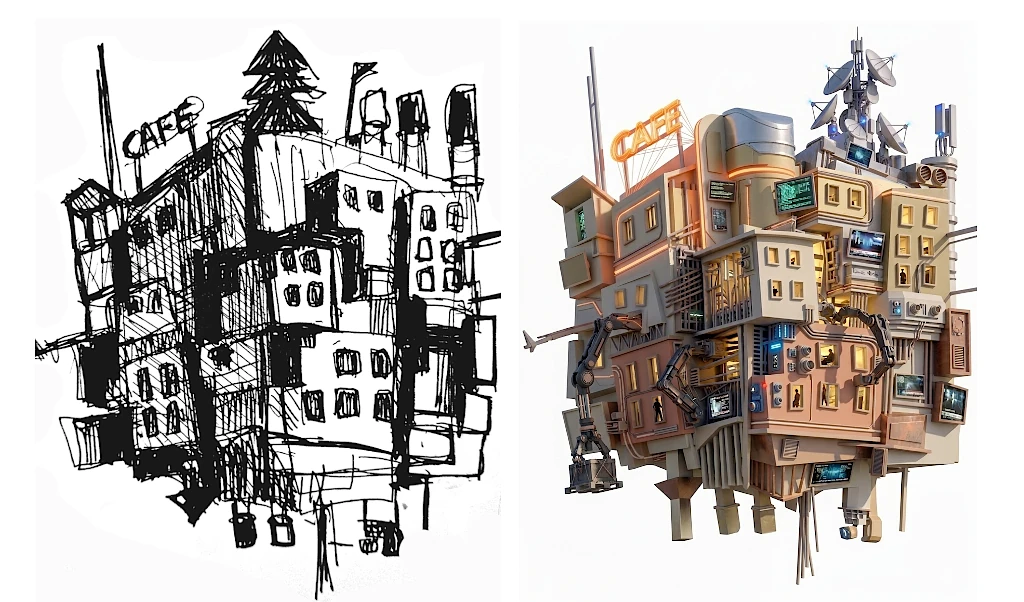
- My Shortcut: I use Google Gemini (specifically “Nano Banana”) to generate consistent top, side, front, and back views from a single sketch. Then, I upload those images into an image-to-3D application like Tripo3D or Meshy. It saves hours of initial blocking.
5. Digital Fabrication: Bringing Art into the Physical
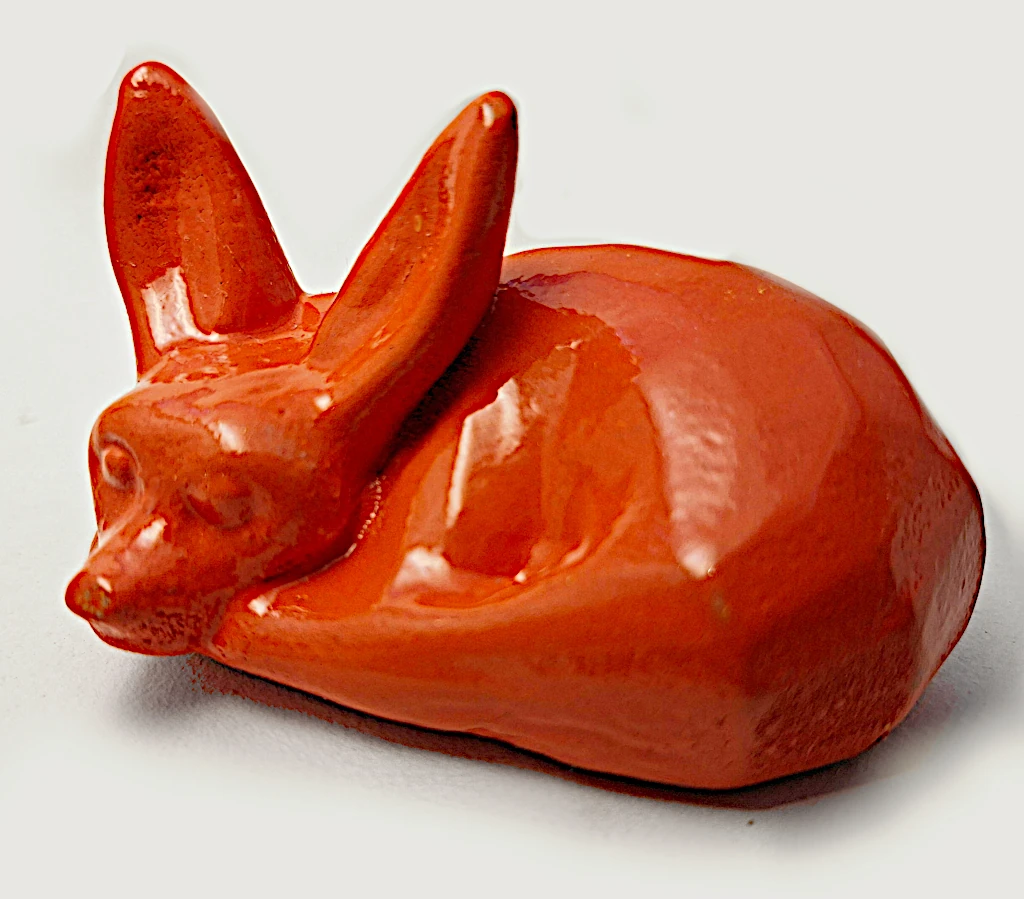
Around 2010, I started hearing about 3D printing. Wow, how cool to make 3D models from my 3D meshes. I was in a 3D slump at this time, for me making things that would only be displayed on a screen had lost its interest and I was drawing more. In 2013 in Montreal, I walked into a FabLab , EchoFab. I discovered how these amazing community spaces you could “make, learn and share”. I have done art residencies in FabLab London (where I made a wall atlas installation), Iceland, worked for a year in a FabLab in Devon, England and recently volunteered 3D tuition at Fablab Auroville, India and FabLab Nepal in Kathmandu (links). Not only 3D printers, CNCS, Arduinos etc. Learn more click here. about the origin of FabLabs.. I often use 3D prints in my clay sculpture work by combining the 3D printed shape in the clay, drying the clay then casting. That is one way I use 3D printing in “traditigital” work.
- The Use: 3D Printers (FDM/Resin), Laser Cutters, and CNC Routers.
- A Memory of Learning: My residencies at EchoFab in Montreal and managing FabLab Devon taught me how to blend everyday traditional drawing with modern digital outputs. There is nothing like the feeling of holding a 3D print of a character that only existed in your head.
- My Shortcut: Always design with “real-world ready” meshes. I teach 3D slicing software to ensure your digital designs translate perfectly into physical objects.
6. Interactive & Coding
I remember buying a big book on making Maxscripting and also C++ in the early 2000s. I found these boring. Apart from knowing some CSS and HTML coding I only really managed to complete a Python introduction book in 2025. Soon after vibe coding became a thing. I am so glad I got to understand the concepts of Python and with that, the overall logic of programming as a whole.. This helps my use AI and gives me the ability to edit it at points too.
- The Use: Real-time interactive art.
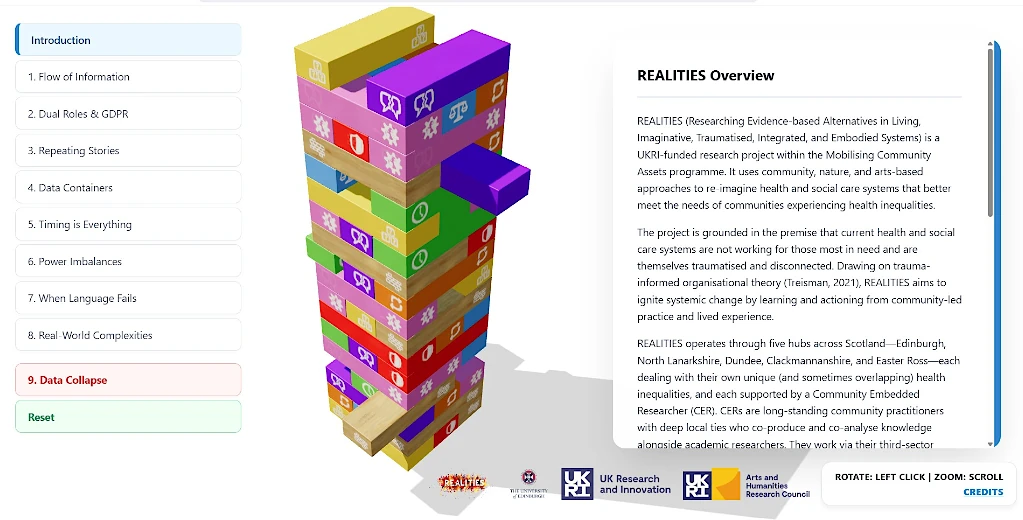
- A Past Project: My recent work for Edinburgh University, the “Jenga of Data,” was a 3D web-based interactive presentation made using Three.js exploring the precarious nature of data and human interaction.
- My Shortcut: I knew some basics of ThreeJs. However, vibe coding helped me make a more complex web based visual interactive artwork like this. I prompted the code between different AI LLMS including z.ai, deepseek , claude and Gemini. Every time one got stuck, I used another. Just as well, this was a paid project. After making the 3D and a lot of prompting, I got a working version that the client was happy with.
The table below, gives synopsis of the tools mentioned -
| Discipline | Industry-Standard Tools | Best For... | Expert Workflow Tip |
|---|---|---|---|
| 1. Traditional Foundations | Sharpies, Kuretake Pens, Air-Drying Clay, Wood | Core Creative Freedom & Flow State | Start 100% offline. Use bold lines to define shapes before the computer restricts your vision. |
| 2. 3D Modeling | Blender (Primary), 3ds Max | Digital Sculpting & NASA-grade Visualization | Use "Trace Image to Grease Pencil" in Blender to convert hand-sketches into 3D geometry instantly. |
| 3. PBR Texturing | Adobe Substance Painter | Photorealistic Detail & "Lived-in" Aesthetics | Don't pixel-push. Use Smart Materials to handle 80% of the wear/tear, focusing your time on the artistic "vibe." |
| 4. AI Co-Pilot | Gemini (Nano Banana), Tripo3D, Meshy | Rapid Prototyping & Generative Assets | Use AI to generate 4-view orthographics (front/side/back) from one sketch to skip hours of manual 3D blocking. |
| 5. Digital Fabrication | 3D Printers (FDM/Resin), CNC, Laser Cutters | Physical Prototypes & Mixed-Media Art | Embed 3D printed mechanical parts directly into wet clay to achieve precision in organic sculptures. |
| 6. Interactive Art | TouchDesigner, Python, ThreeJS | Generative Visuals & Real-Time Interaction | Start with a simple feedback loop. Let the visual "spaghetti" logic surprise you with generative shapes. |
The Future is both Digital and Traditional = ‘Tradigital’
We are entering an era where you need an optimistic mindset for the future of the creative industries. Whether you are a parent looking for world-class mentorship for your child, or a professional seeking to optimize your creative pipeline, I will provide the solutions you need.
Ready to master your own toolkit?
- Connect: Book a Free 30-Minute “Vision Session”. Let’s master your creative workflow together.
Links to Tools & Resources Mentioned In This Post –
- 3D Modeling:
Blender & 3ds Max - Texturing & Materials: Adobe Substance Suite
- Creative AI (Vision & Concept): Google Gemini (Nano Banana workflow).
- AI Image-to-3D: Tripo3D, Meshy, Rodin, Hitem
- Interactive & Creative Coding: Three.js, TouchDesigner, Python, Arduino.


