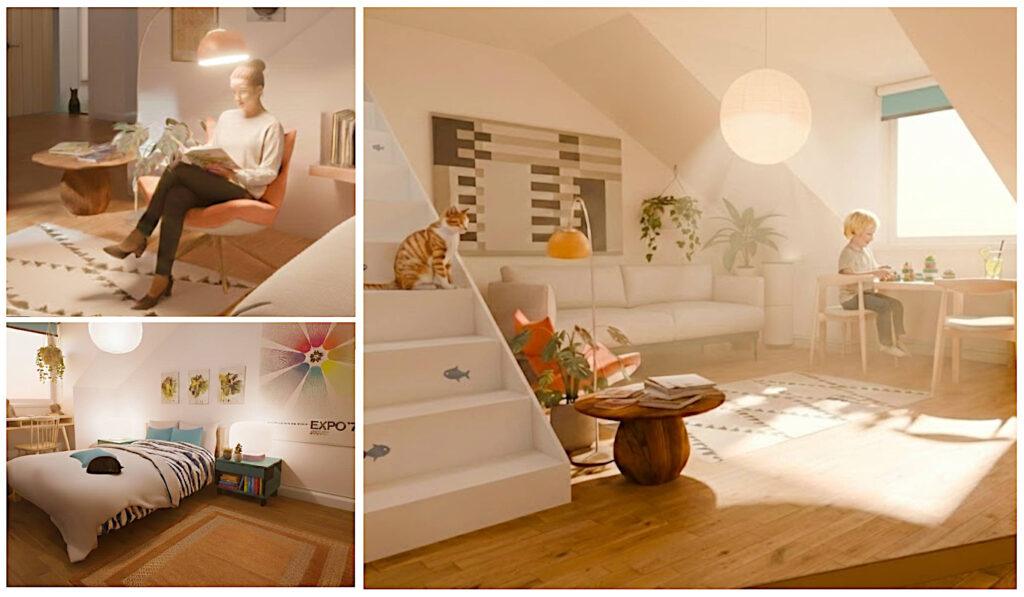
Upgrading My Blender Renders with Google Gemini 3
If you read a previous post on interior visualization, you know I love the control Blender gives me for 3D visualization work. But to be honest—getting that final “lived-in” feel, the perfect light bleed, or a convincing human presence can be a massive time sink, stress and headache. Especially when the computer bottlenecks. At this stage I feel ill and feel what I am doing is the least creative thing ever.
I’ve been experimenting with a new fast but high end “finishing” stage in my pipeline using Gemini 3 and its Nano Banana image tool. It’s not about replacing the 3D work; it’s about treating the 3D render as something that can be upgraded with an intelligent AI image prompting application such as Google’s Gemini.
Here’s how I took three of the original Blender renders and gave them a high end upgrade. Doing this in 3D and with post production tools would take hours. This took me about half an hour for all three images.
The Lounge: From Static To Cozy
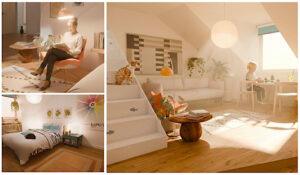
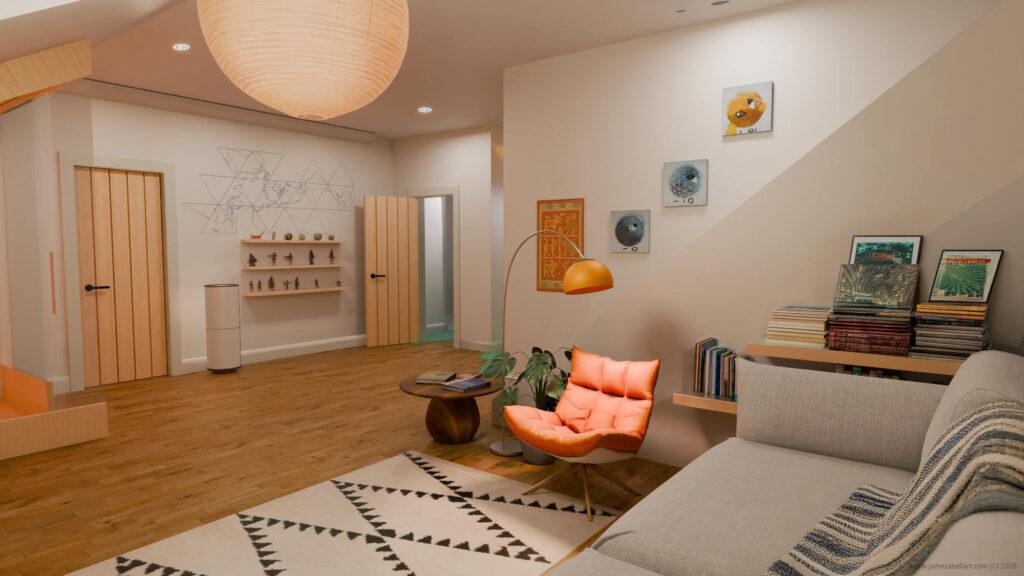
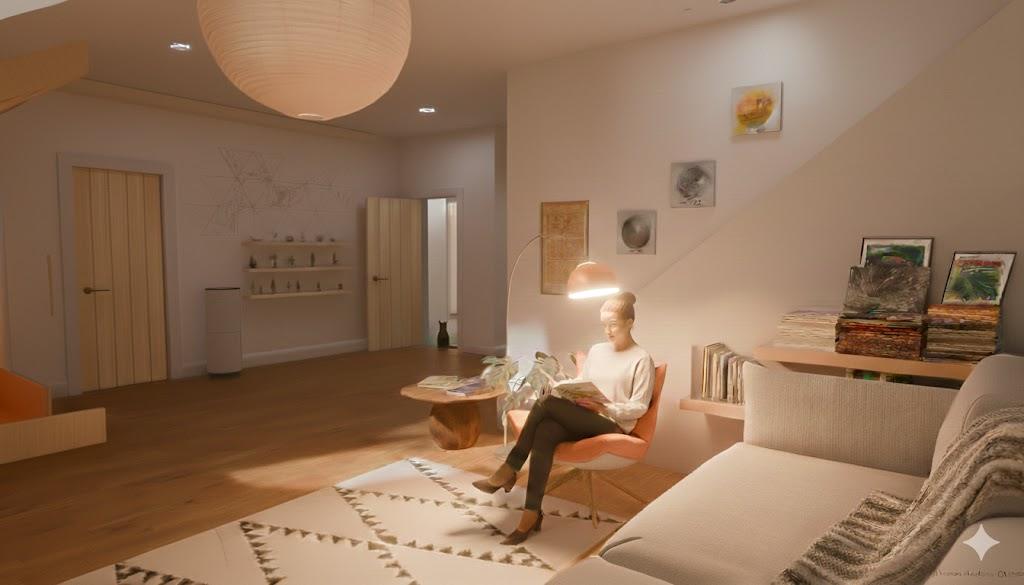
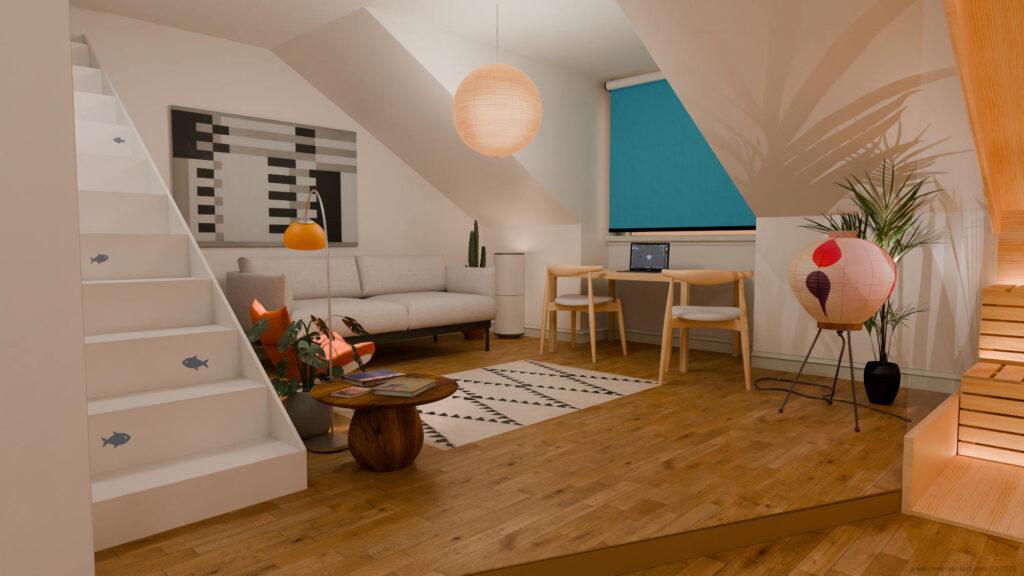
My original render (see below) was technically fine, but it felt like an empty showroom. I wanted it to look and feel like a home. I uploaded it to Google’s Gemini and asked it to
“add a woman reading a book in the orange chair, a cat wandering through the doorway, and soften the lighting in the back area.”
Like me, one prompt may not work exactly like you want. So often at this stage of Gemini, you need to re prompt. That’s a lot like having someone human working for you anyway. The beauty is that it sometimes comes up with an unexpected result that is better than your original vision.
The result (see below) is a great improvement. The AI didn’t just paste a person in; it understood the lighting of the room. That little cat in the background? That’s the kind of “clutter” that makes a render feel cozy and human. Ironically, the AI made the render “more human than human”.
The Bedroom: Inviting Enough To Sleep Here?
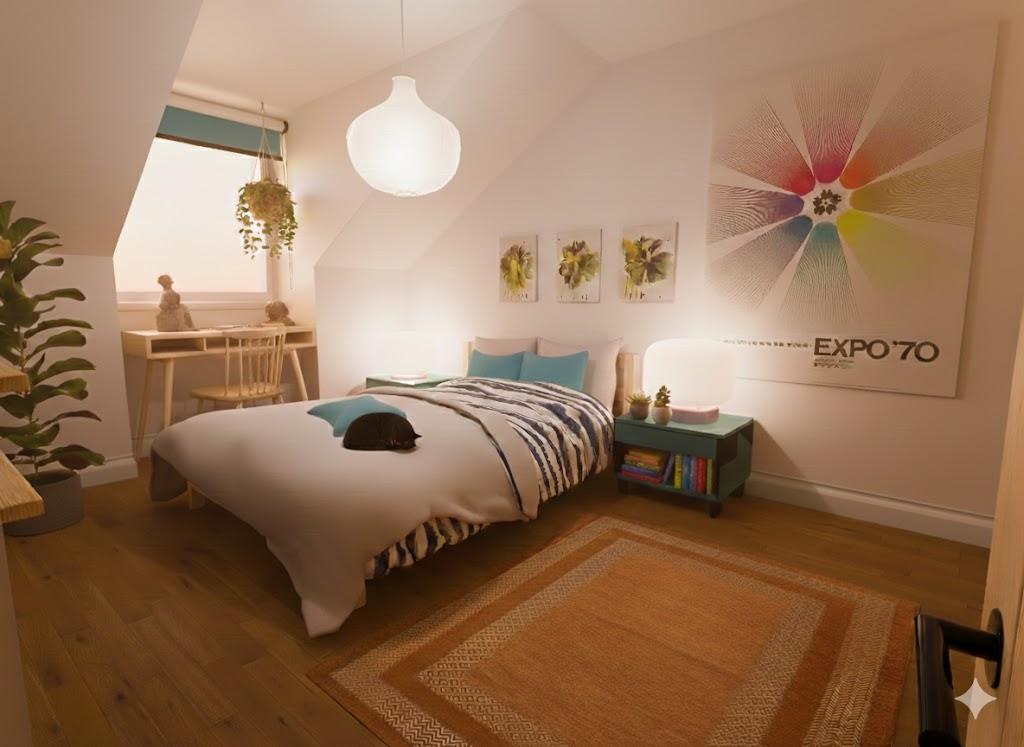
In the original Blender bedroom render (see below), the lighting felt a bit flat. To fix this, I prompted for
“increased ambient occlusion in the corners and a warmer sunset glow through the window,” along with a sleeping black cat on the bed and some more plants.”
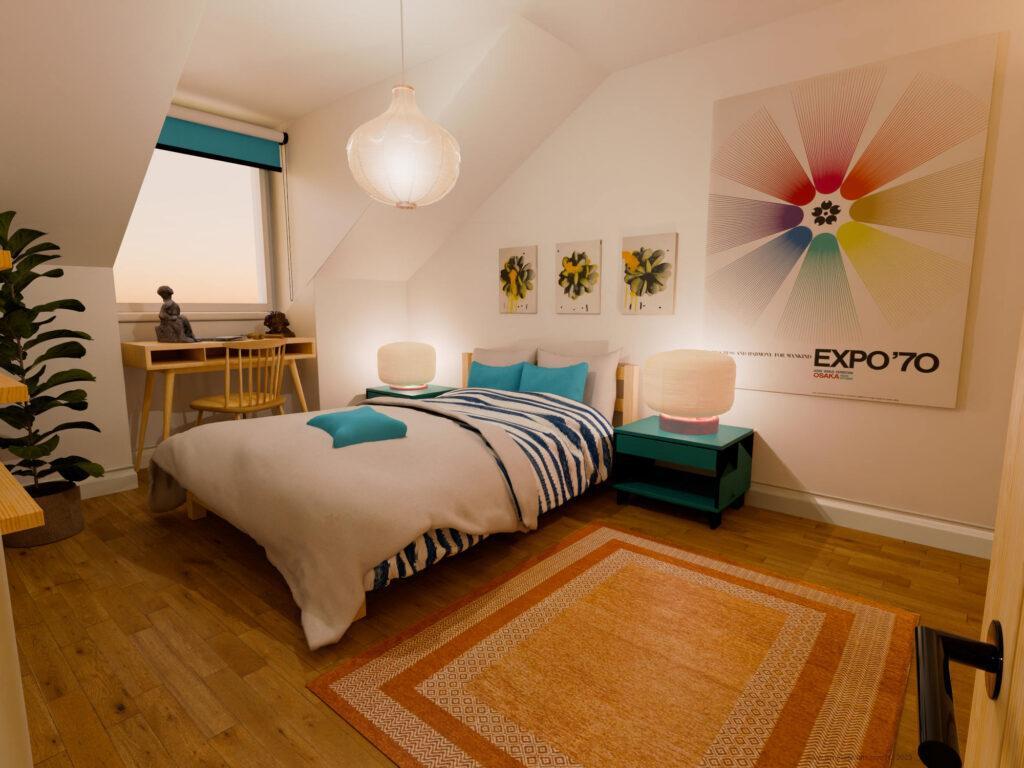
The upgraded version (see below) has much more depth and softness. The way the light now hits the duvet feels far more photographic than my initial internal render engine pass. The two desk lights give a much more accurate glow effect, unlike the original where they have a strange backlit effect.
Lounge Shot 02: Capturing the Light & A Memory
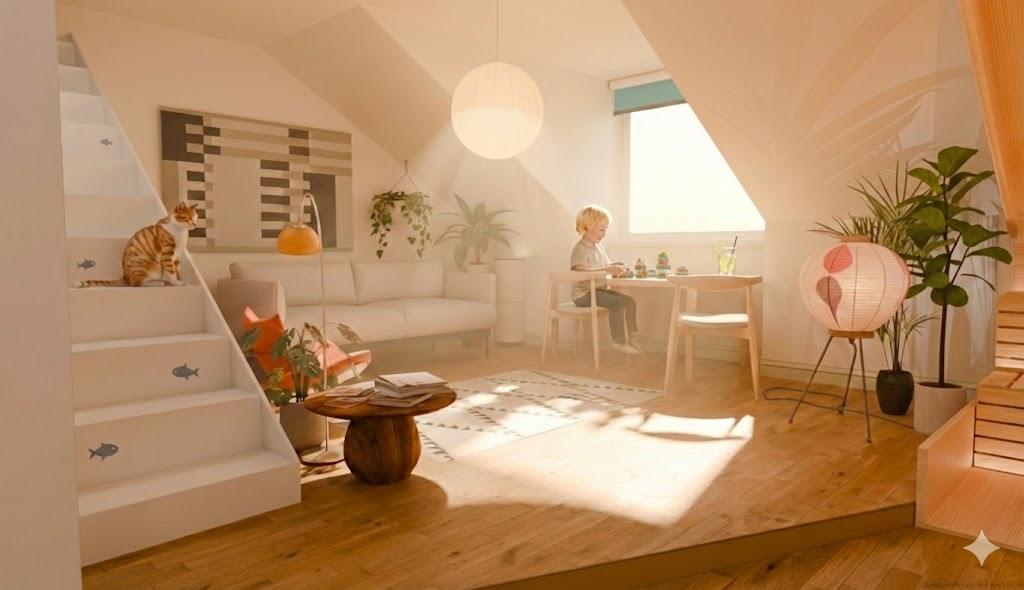
Another render angle of the lounge space (see below) had a great composition, but it needed a focal point and some atmosphere. I asked the AI to
“add a young child playing with Lego blocks at the desk and add bloom and light rays (God rays) from the window.”
The final image (below) actually makes you feel the warmth of the sun. Doing those volumetrics in Blender can be a render-time nightmare, but here, it was almost instant.
A Quick Reality Check on Image Resolution
One thing to keep in mind: Gemini 3 is brilliant for creative direction and upgraded imafes but it does have its limits with output resolution. If you’re looking to print these final renders or show them on a 4K display, the raw AI output might look a bit soft.
The Fix: I use a free tool called Upscayl to bring the sharpness and resolution back. It has a free option for a few upscales for you to try out and does a fantastic job of cleaning up AI artifacts without losing details.
Summary & Tools
By using AI as a post-production partner, I can focus on the architectural modelling, basic textures and compositions in Blender and let the AI handle the “staging” and complex lighting tweaks.
-
Original Project: Creative Interior Design Visualization
-
Workflow: Blender 4.x + Gemini 3 (Nano Banana) + Upscayl.
I Can Help You To Do This Too For Your Projectsd
If you want to see how this fits into your specific projects, whether you’re a Blender pro or just starting out, I’d love to help you bridge the gap between “3D model” and “art.”
I offer a 30-minute FREE Zoom tuition trial. No strings, just a chance to look at your work and see how we can level it up together.
👉 Book Your Free 30-Minute Session Here
Lets discuss your projects, I am here to help.