

Nomad Sculpt Workflow on a Lenovo Tablet
I travel quite often in the UK for work to tutor in London. I also like to be a " tradigital nomad " sometimes.
Opening up your laptop is not always practical on an aeroplane, bus, train or coffee shop. If you have a setup like a mini pc that requires plugging in a portable monitor etc on the go that really makes it harder.
Even at home, I don’t know about you but sometimes its just nice to be lazy, and lie in bed or a couch and do some work?
Digital sculpting? Likewise, I love sculpting in real clay, this is not always possible on the move. So digital sculpting is a second best option.
Over the last few years, I have been noticing what the Android app, Nomad Sculpt can do. I feel this app is perfect for digital sculpting on the go. Check out what it is capable of on their website.
The Workflow: From Lenovo Tablet to Final Mesh
Coming from Blender as an experienced sculpt mode user. I also used to use Zbrush, I got to grips with Nomad Sculpt fairly quickly in a few days. It may take you longer or shorter. I would recommend work with a project in mind so you will get intrinsically learning.Nomad Sculpt.
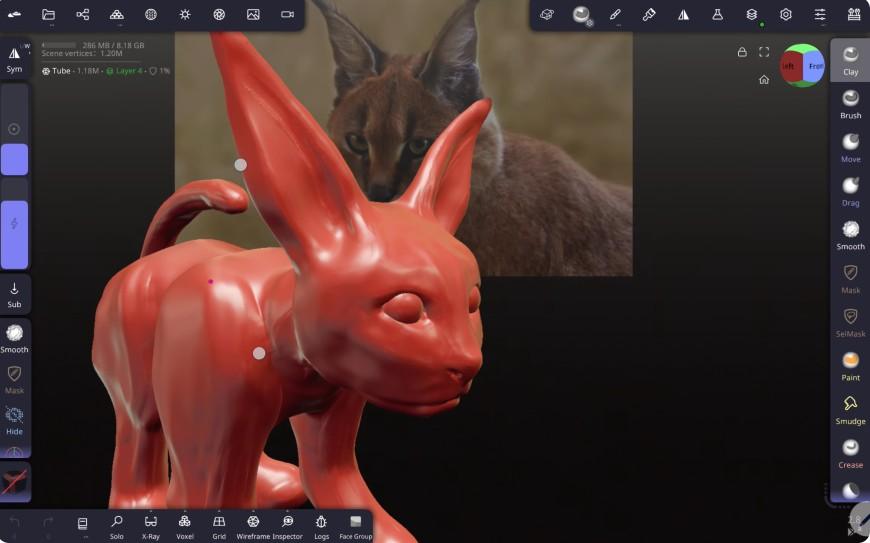
I will show you my first model I made in it… a Caracel like cat for my Honey Milk Coffee . My other creative venture outside my JamesAbell artwork.
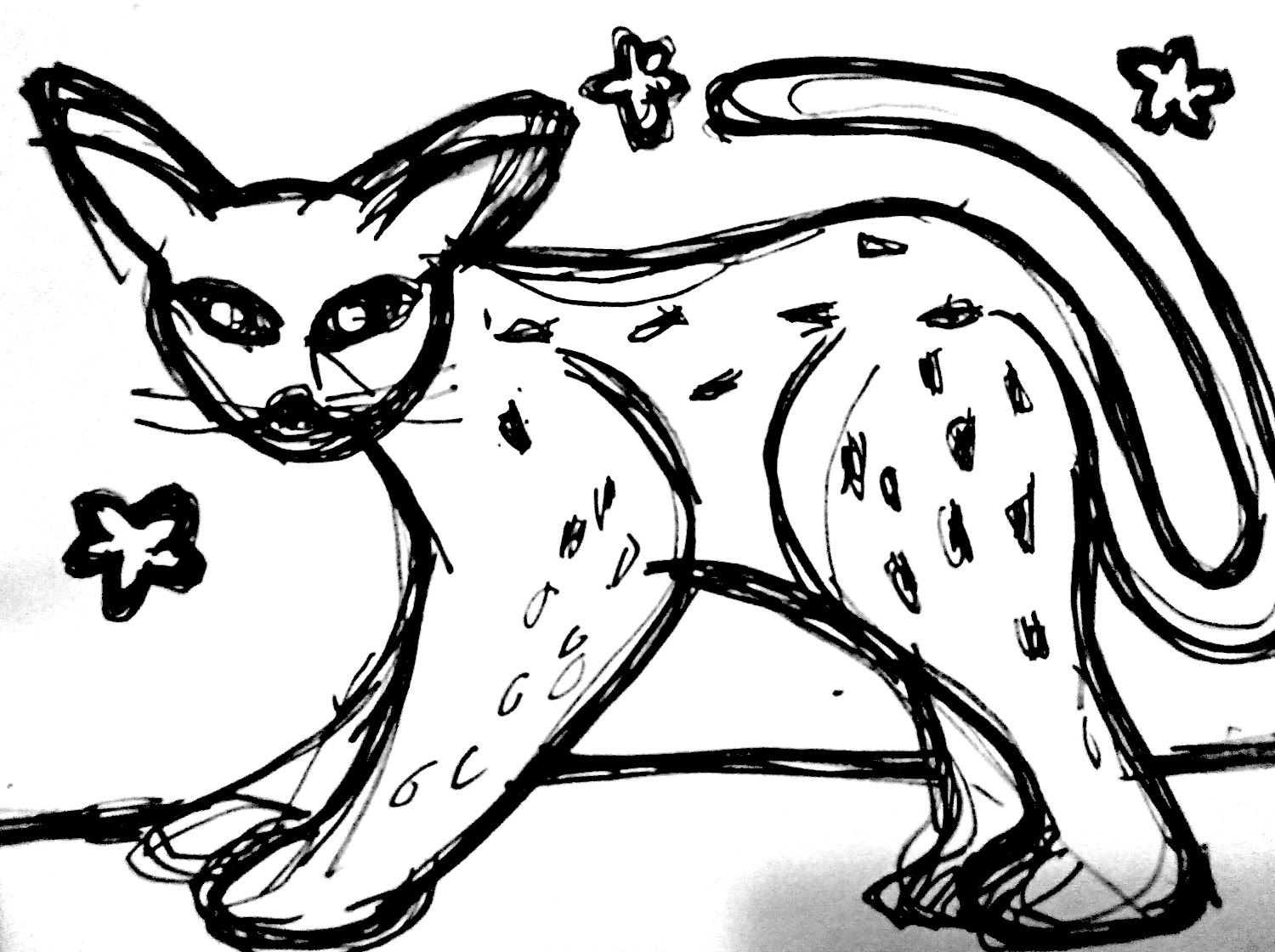
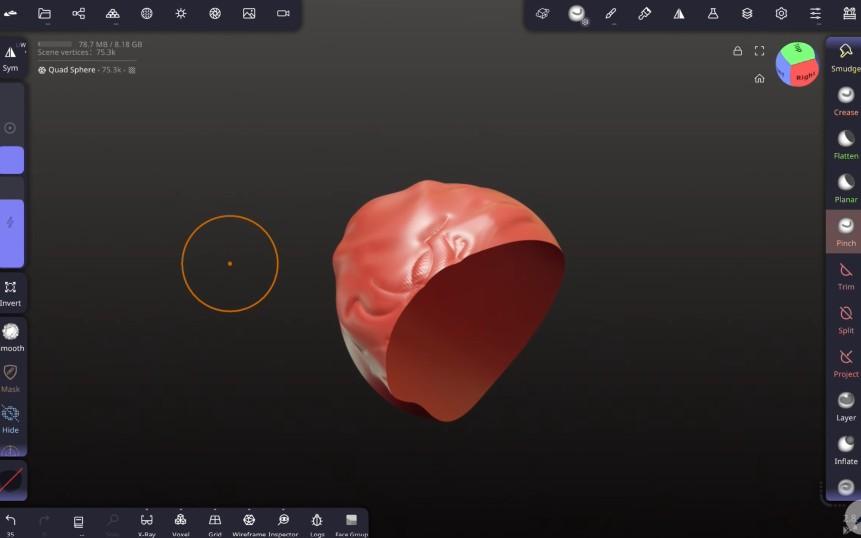
I started with basic the basic cat like animal I drew above. I then used this as a reference for the initial blocking phase using Nomad's primitive sphere shape.
After blocking out the overall shape, I added the finer details such as nose, mouth and ears. It is a constant process of pushing, pulling and adding details until the model looks just right.
Once the model is finished, Nomad Sculpt will allow me to export it as a mesh (including common formates such as .obj and .gltf) so I can refine it, and rig it to pose the model in Blender. I can then get it 3D printed so I can cast a sculpture out of it.
Check Out This Quick Nomad Sculpt / Blender Tool Equivalent Primer Video -
Focus On Nomad, main tips for digital sculpting
Nomad Sculpt, allows low cost entry both with the cost of the app and the relatively low cost of Android tablets that will run it.
This liberates digital sculpting for many people around the world who might not be able to afford desktops ot laptops anywhere. in the world.
The Main Comparison Of Brushes In Nomad Sculpt With Blender (Sculpt Mode)
Why Bother with this Anyway Because of Image To 3D AI?
Image to 3D AI tools will make an amazing mesh for you but without knowing sculpting, there is not much tweaking, modding you can do with it.
Even if we get to a stage (probably soon) when we can tell AI applications to edit and sculpt models, I beleive it is not the same as being able to do it ourselves, knowing what exactly we want to do, put clay on one region, drag or stretch one part, mask a particular part and so on.
I dont think its a waste of time to learn this, actually the opposite. It will make you stand out in the time of AI .Also, have you seen a lot of AI image to 3D? A lot of it looks same without a inique style I beleive can only be developed as a human being experiencing life and evolving out creative style over many years.
Nomad Sculpt vs. Blender vs. ZBrush
As well as Nomad Sculpt there are some other acceasble digital sculpt tools out there for tablets. They all have strengths and weaknesses. Check them out and experience them for yourself so you can make an informed decision -
Nomad Sculpt
Blender For Android (coming soon)
ZBrush for IPad
These tablet based applications allows us to digitally sculpt without always having to use the PC or Mac. Due to the relatively cheap price of tablets, it opens up these tools for people who may not be able to afford anything more.
At under £200 my Lenovo Tablet handles Nomad Sculpt pretty well. I would say it is still useable with slightly lower spec machines.
I can say I will be using Nomad Sculpt a lot with all my projects and commercial work and commissions in the future. Stay tuned, exciting futures...
Bring Your Ideas to Life: Mentorship & Art Sales
"Struggling to optimize your own 3D pipeline? I am a concept art mentor online offering tailored digital painting 1 on 1 lessons to help you master these techniques." Get a free 30 minute trial one on one zoom session with me.
Resources & Links :
Nomad Sculpt
Blender
Blender for Android
Zbrush for the IPad
Honey Milk Coffee
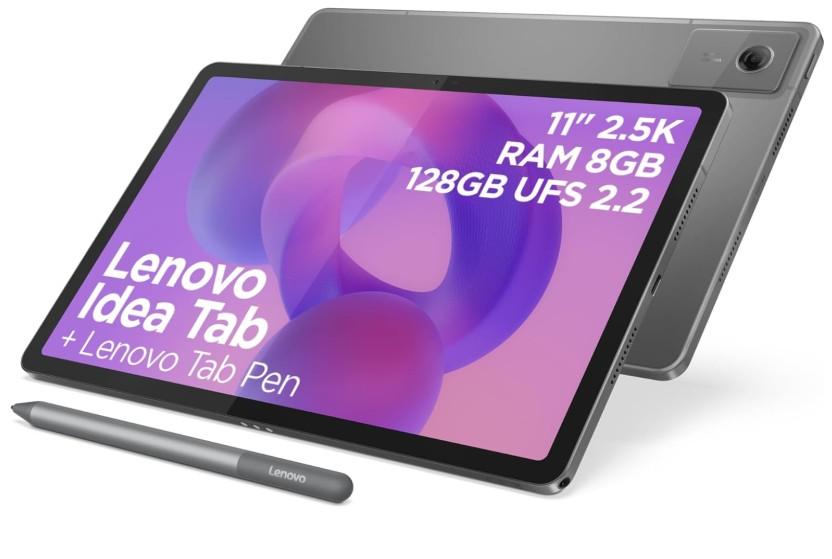
The mid range Lenovo Tablet I recently purchased.


