

Parallax Stage: Bringing Your Sketchbook to Life in the Browser
I want to make some of my drawings more interactive on my website., partly to tell stories One solution is that I am going to use an html parallax tool & generator. There are some good ones out there already. However, I wanted particular features.
So in Claude AI I managed to "vibe code" a simple application. Here is one made earlier see the image below —I will show you how I made this and how you can use it to make your own parallax images like this one below I made from a drawing I made on site in 2026 in Kathmandu, Nepal. So I present to you this free interactive parallax tool..
What It Does - Parallax Stager: Bringing Your Sketchbook to Life in the Browser
Tool Overview & Programming Stack
What it does: Converts multi-layered pen-and-ink sketches, transparent PNG/WebP images, and 3D models into an interactive, mouse-driven 3D parallax experience inside standard web browsers.
Programming Languages & Tech Stack: Vanilla HTML5, CSS3, and JavaScript (built without complex external dependencies or heavy game engines).
1. Interactive Parallax Drawings: Traditional Drawing & Process
The Inspiration: I draw and make a lot of traditional/tradigital art. I wanted to make this tool for myself as part of a way to make my art, especially my drawings more interactive on my blog/pages for upcoming art exhibitions and my other creative company Honey Milk Coffee.
The Experiment: Introducing the lightweight HTML/JS Parallax Studio built via "vibe coding" in Claude—a simple, browser-based playground that gives 2D art the tactile, interactive feel of a pop-up book. This is something I want to convey, old school meet new technologies " tradigital ".
Watch the Process: Check out the Youtube video at the end of this blog to see how it works.
2. Preparing The Drawing: From On-Site Ink Sketch to WebP Layers
From Ink to Layers: During my digital nomad travles earlier in 2026, I had the chance to sketch in the cool February evenings in Patan Durbar Square, Kathmandu, Nepal. Watching all the interesting faces and even perhaps ghosts of the past stroll by.

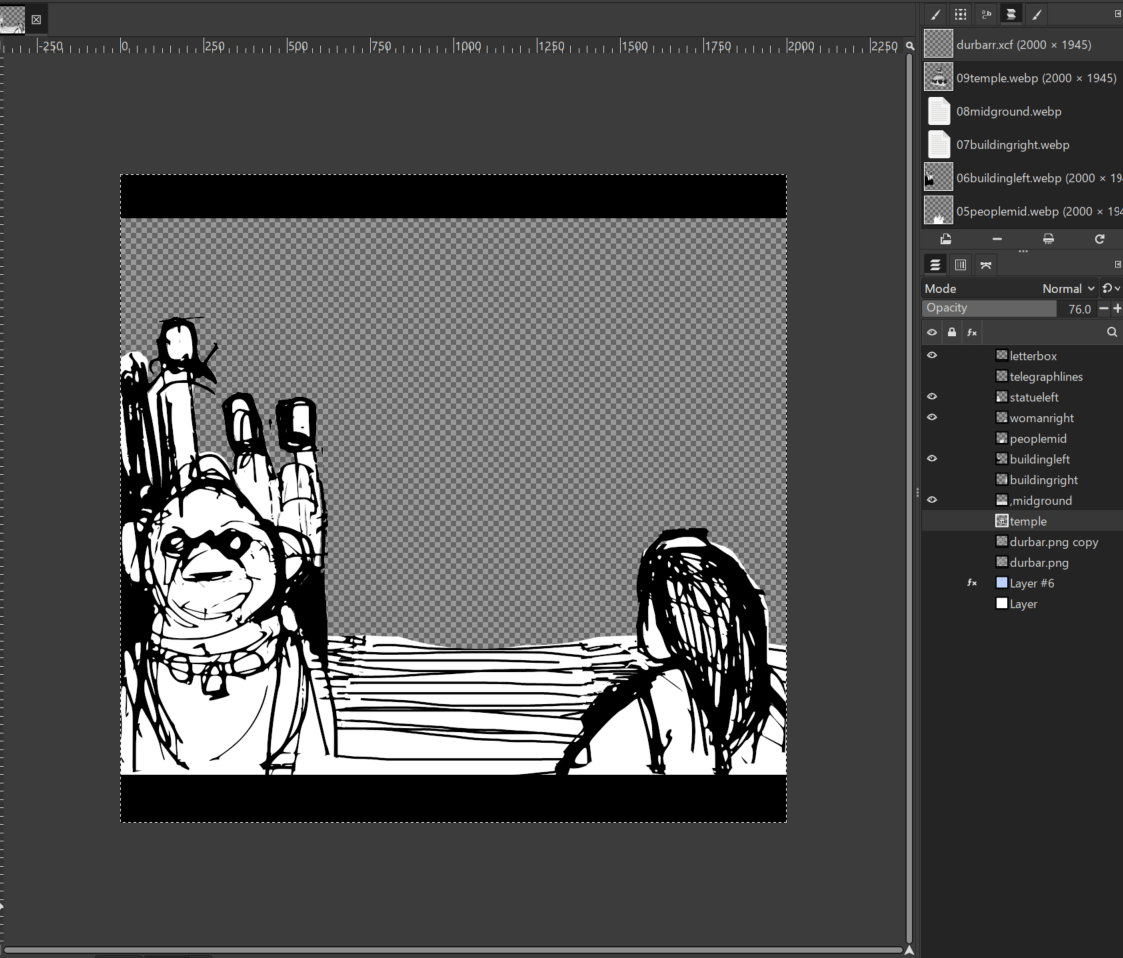
Preparing the Artwork: The process is easy. I just split up the parts of tyhe object I wanted to parallax and deleted all else on that layer making sure the deleted part had transparency and then I made sure to export it as a WebP format with alpha. Separating foreground characters, background temples, and safe frame.
Privacy & Speed: This Parallax Stager is also very useful because all artwork images stay cached locally in the browser rather than uploading to an external server, keeping the workflow fast, private, and frictionless.
3. Creative Toolset: Depth Controls, Storytelling, and 3D Integration
Im finding the features I implemented in this vibe coded scroller are really useful for my creative artwork so far. I hope you might find them of use too. Check out the video and instruction sheet later in this post for more details.
However, here are some of the main features:
Tactile Controls: You can tweak depth, layer scale, blur, and parallax strength that will create an instant 3D illusion with simple mouse movements.
Interactive Storytelling: I added a feature that lets layers trigger actions, play audio loops, or link out to external pages (touching on the interactive music game variant). This is quite basic but you can add to this with code once you have exported the file.
3D & Hybrid Workflows: You can also import 3D GLB models into this!
4. The "Tradigital" Way: High Creative Simple Flow Rather Than More Complex Game Engines
Why Skip Game Engines? Sometimes for a simple interactive parallax scrolling effect, we can just rely on we based code to tell a story, (like Unity or Unreal Engine) when you simply want to make artwork interactive without technical roadblocks. This parallax method, you just place and the result is there.
Merging Old & New: This parallax stager really allows me and you to fuse traditional drawing with digital tools for online intertactivity.
Other Interactive Options: There are other ways to add interactivity to flat drawings, you can use Three.js or Sketchfab for web-based interactive comics.
This one called " the Boat " is a favourite of mine made with Three.js. I will be looking into some of the methods they used to make drawings interactive in the future to inspire to make similar interactive triggers in my own work soon.
5. Check Out The Video
6. Free To Use Now & Take Further
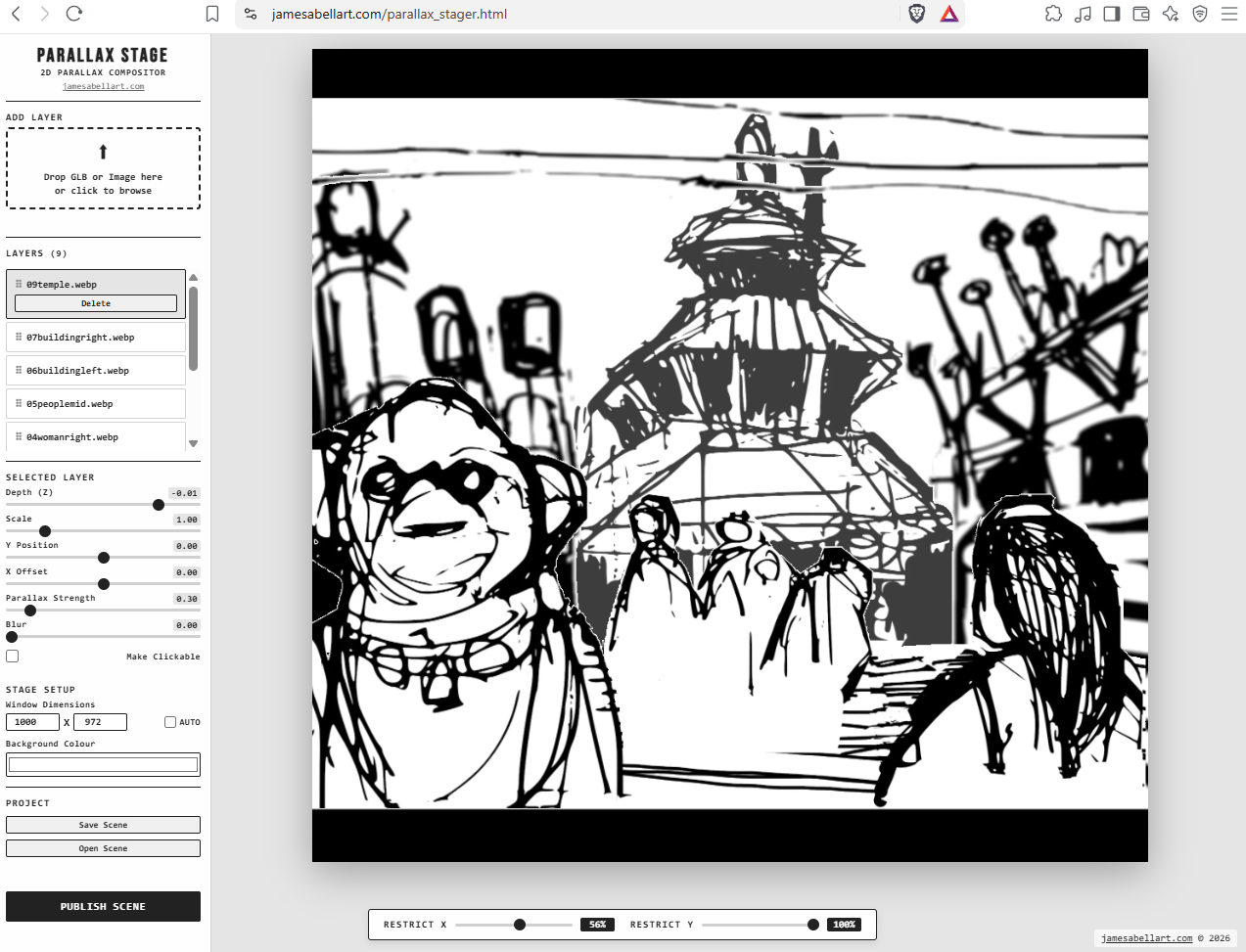
Here is the Link or click on the image above to go directly to the live Parallax Stager Studio tool. Currently, it only really works on desktops, try on your smartphones and tablets at your own risk or crashes. You can drop in your own PNGs/WebPs immediately and test out scenes. (Please let me know any bugs—this is just the first edition and I will keep improving it.
As of September 2026, it isd not yet fully checked for use on smartphones, please get in touch and let me know any issues).
Still having trouble? Check the instruction sheet here.
Join the Experiment: subscribe to the newsletter to follow ongoing project updates, download free templates, and get notified about future tool releases.
Collaborate & Learn: For anyone wanting to build custom creative pipelines, learn Blender/3D workflows, or troubleshoot technical hurdles, contact me for a free 30-minute trial personal tutoring session,
Support the Project: If you use this for your own work it is free. However, please give me credits, tell your freinds and consider donating to me with PayPalMe .
Resources
Instruction Manual for Parallax Stager
Claude AI - the LLM I used to vibe code Parallax Stager.
Free Tuition & Trial Session


